Godot Engine is an amazing game engine and in this guide I want to show you how to build an End-2-End flow using Cucumber .feature files and a plugin called GdUnit.
Why Automated Testing matters
When working on smaller prototypes or games, automated tests are usually overkill and manually testing your game is usually quicker and simpler. However, for larger projects with many different components, gameplay systems and features, it will be extremely difficult to ensure that your game stays free of bugs. Especially when you have to do a ton of changes: does the character movement still work? Can the player still use the anvil for forge themselves a mighty sword? You have to boot up Godot Engine, start the game and try to test this yourself... over and over. Test automation takes away this pain: you define once what should happen and then an automated process will run this for you, often at insane gameplay speeds (I test my game at 1000% gameplay speed inside a Github Action).
Building the test suite
Developer Mike Schulze built an amazing Godot addon called GdUnit which allows you to run so called unit tests directly inside Godot, or alternatively, inside a CI pipeline. Once installed, it allows you to define a so called GdUnitTestSuite in which we can load all available *.feature files:
extends GdUnitTestSuite

const FeatureParser = preload("res://test/e2e/bdd/feature_parser.gd")
const FeatureCatalog = preload("res://test/e2e/bdd/feature_catalog.gd")
const GLUE_SCRIPTS = [
	preload("res://test/e2e/steps/common_steps.gd"),
]

func feature_cases() -> Array[Array]:
	var cases: Array[Array] = []
	for scenario in FeatureParser.new().parse_directory("res://test/e2e/features"):
		scenario["scene_path"] = FeatureCatalog.scene_for(scenario.path)
		cases.append([scenario])
	return cases
With this done, we can define our feature file:
@e2e @mining
Feature: Mining
  Background:
    Given a ready player
    And the player equips a "copper pickaxe"

  Scenario: Damage rock with a pickaxe
    When the player walks to the rock
    And the player strikes the rock once
    Then the rock is damaged

  Scenario: Break rock and spawn ore
    When the player walks to the rock
    And the player mines until the rock breaks
    Then copper ore is spawned
Lastly, we need to add the "glue" that combines the feature definition with GDScript and actually calls code:
func register_steps(registry: E2EStepRegistry) -> void:
	registry.given("a ready player", _ready_player)
	registry.given("the player equips a {string}", _equip_item)
	registry.when("the player walks to the {word}", _walk_to_target)
	registry.when("the player interacts", _interact)
	registry.when("the player presses {word}", _press_action)
	registry.then("the player cannot move", _player_cannot_move)
	registry.then("the player can move", _player_can_move)
This allows me to define a custom language that I can use in any *.feature file to automate and test things. The last piece of the puzzle is GdUnit itself: it allows us to create a test scene and then run it via a so called SceneRunner. This means GdUnit runs the scene for you and while the scene is running, you can verify and access its state.
func test_gameplay_scenario(
		case_data: Dictionary,
		_test_parameters := feature_cases()
) -> void:
	var scene_path: String = case_data.scene_path
	assert_str(scene_path).is_not_empty()
	if scene_path.is_empty():
		return

	var runner := scene_runner(scene_path)
	runner.set_time_factor(10.0)
	var context := ScenarioContext.new(self, runner, case_data)
	var registry := StepRegistry.new()
	var glue_instances: Array[RefCounted] = []
	for glue_script in GLUE_SCRIPTS:
		var glue_instance: RefCounted = glue_script.new()
		glue_instances.append(glue_instance)
		glue_instance.call("register_steps", registry)

	await runner.simulate_frames(2)
	for step in case_data.steps:
		var resolved := registry.resolve(step)
		if not resolved.ok:
			context.fail("%s at line %d" % [resolved.error, step.line])
			break
		await resolved.callback.call(context, resolved.arguments)
		if context.failed:
			break
	context.restore_settings()
With all this in place, we can run the tests.
CI/CD integration
For Github Actions I define this inside my test-game.yml workflow file:
      - name: Run tests
        working-directory: godot
        run: |
          export GODOT_BIN="$(command -v godot)"
          if ! xvfb-run -a ./addons/gdUnit4/runtest.sh \
              -a res://test \
              -c \
              -rd res://reports/tests > /tmp/gdunit.log 2>&1; then
            cat /tmp/gdunit.log
            exit 1
          fi
          grep -a "Statistics:" /tmp/gdunit.log || true
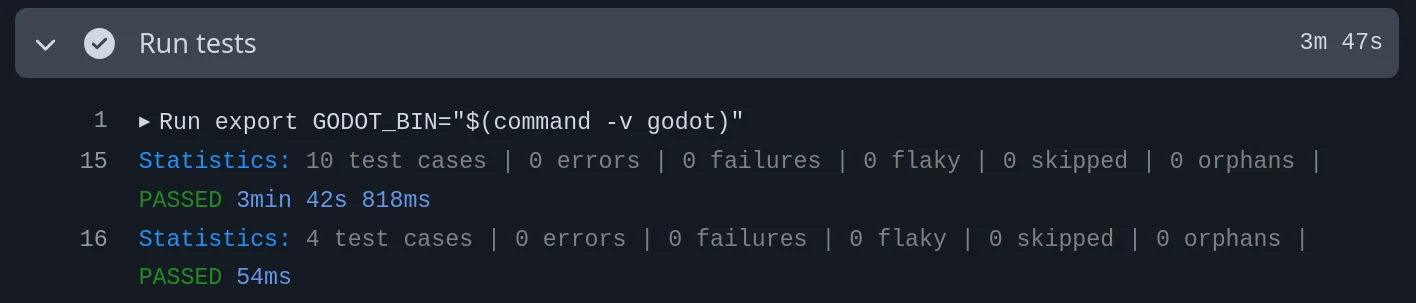
The end result looks like this: